AirDrop Alternative
The Best AirDrop Alternative for Windows, Android, and Mac
Break free from the Apple ecosystem. Experience seamless, zero-config file sharing across all your devices with SyncDrop.
SyncDrop vs. AirDrop
| Feature | SyncDrop | AirDrop |
|---|---|---|
| Cross-Platform Support | iOS, Android, Win, Mac, Linux | Apple Devices Only |
| NAS & S3 Backup | Yes (Native) | No |
| Clipboard Sharing | Yes | Limited (Universal Clipboard) |
| Privacy-First (P2P) | End-to-End Encrypted | Proprietary |
| Large File Support | Unlimited (Local Wi-Fi) | Limited by stability |
Share in 3 Simple Steps
1
Open SyncDrop on both devices
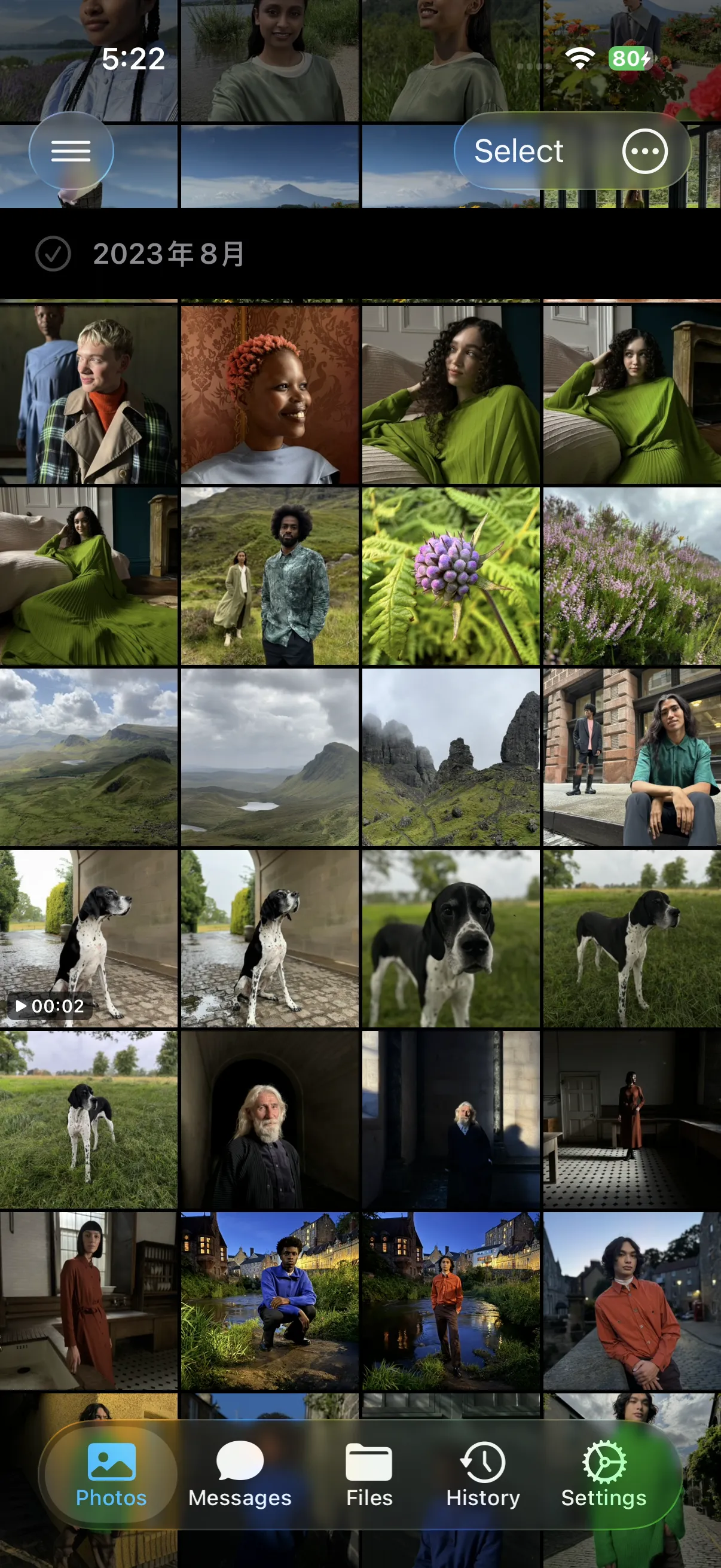
2
Select your photos or files

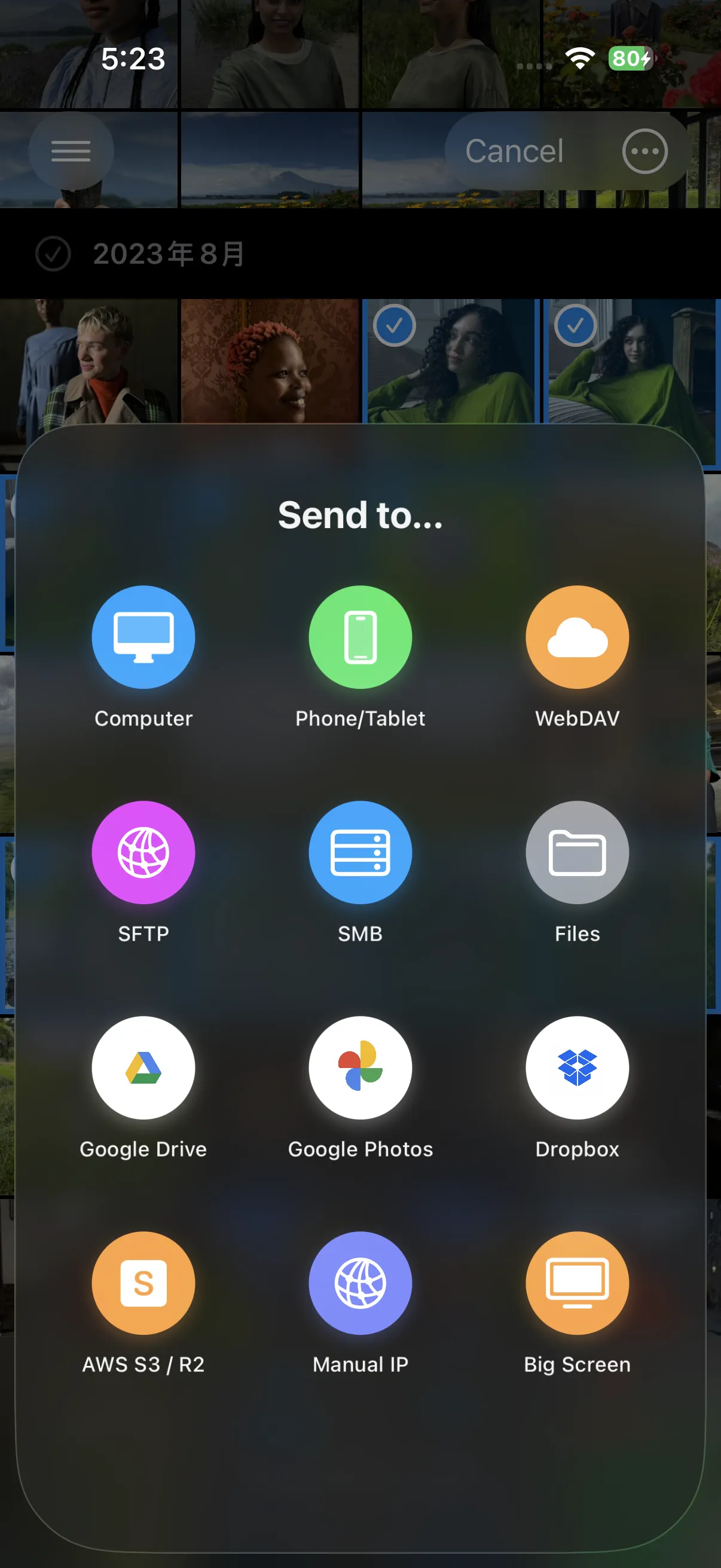
3
Tap the target device to send
Frequently Asked Questions
Can I AirDrop from iPhone to Windows?
Apple doesn't support AirDrop on Windows, but SyncDrop provides the exact same experience. Just install SyncDrop on both and you're ready to go.
Is SyncDrop faster than AirDrop?
SyncDrop uses optimized local TCP connections, which can often exceed AirDrop's speeds, especially for large 4K videos or RAW photo batches.
Does it require internet?
No. SyncDrop works entirely over your local Wi-Fi or Hotspot, keeping your data private and saving your mobile data plan.
Ready to Take Control of
Your Digital Memories?
Join thousands of users who trust SyncDrop for secure, fast, and effortless cross-device sync