Wireless Camera Tethering,
Instant Big-Screen Imaging
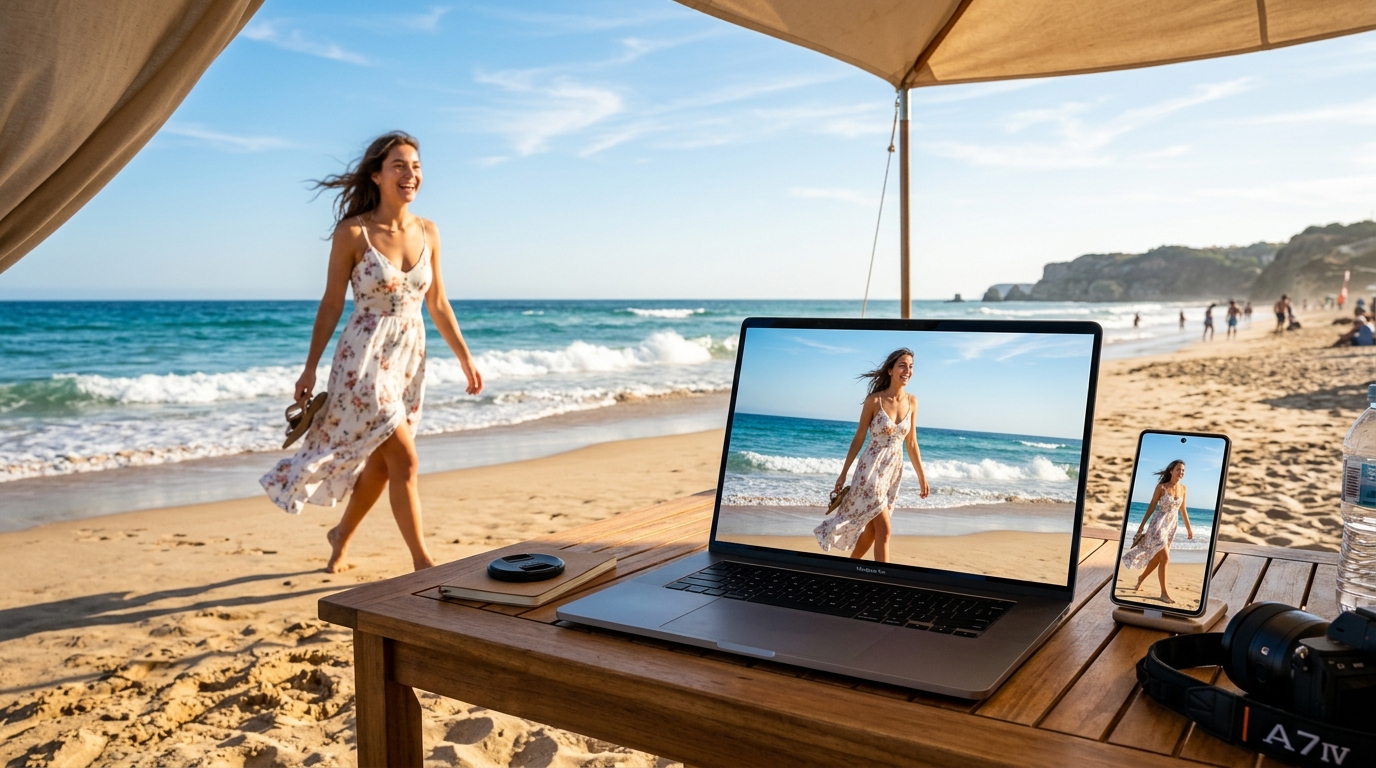
Turn your smartphone into a wireless shutter and your PC, Mac, or TV into an instant live studio monitor. Shoot, stream, back up, and present seamlessly.
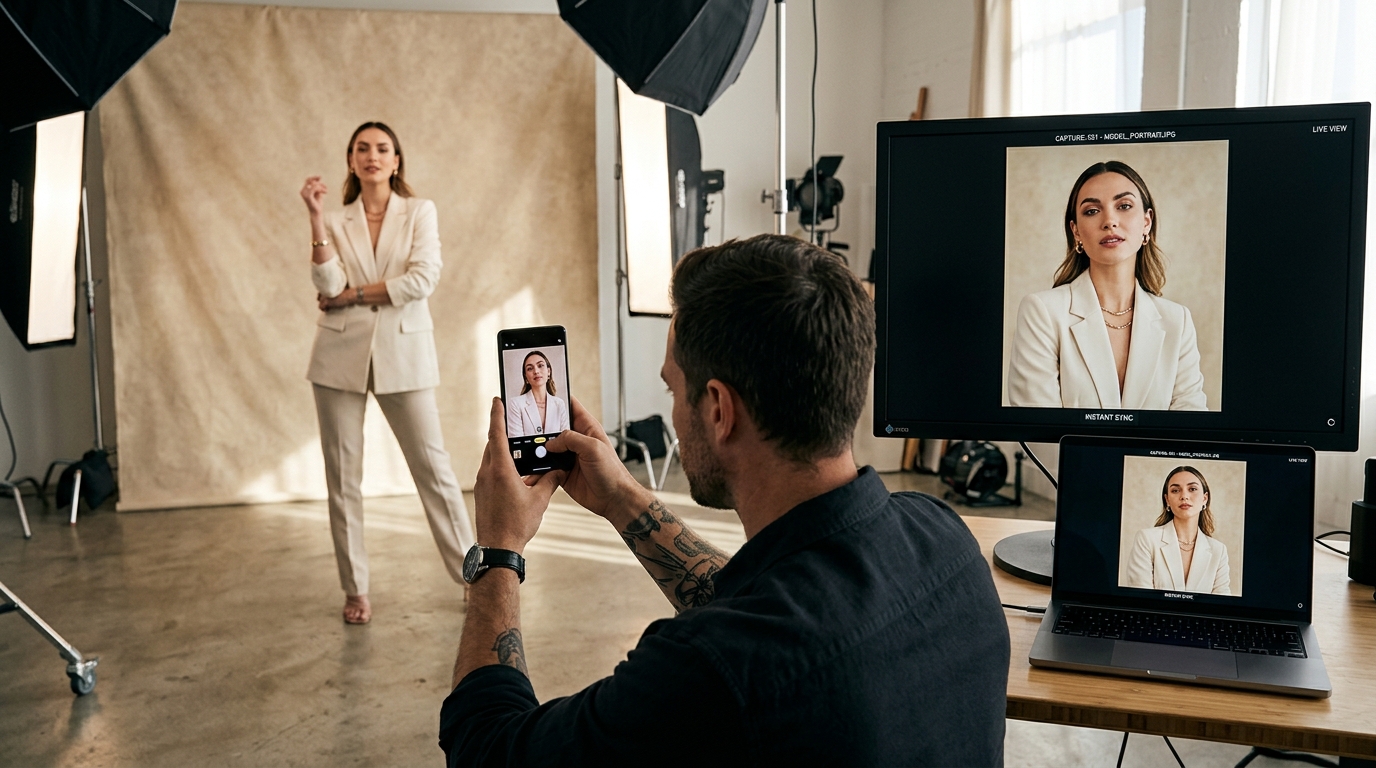
Instant Camera: No Cables, No Manual Export
On set, every second counts. SyncDrop's built-in Instant Camera beams full-resolution original photos and videos across your local network the exact moment you release the shutter.
True Wireless Tethering
Untether from bulky USB cables. Move freely around the studio or on location—shots appear on your monitoring station instantly over local Wi-Fi or Wi-Fi Direct.
Flexible Multi-Destination Routing
Route captures not just to your PC or Mac, but also directly to private NAS (SMB/WebDAV/SFTP) or cloud storage (Google Drive/Dropbox/S3) for automatic zero-touch backup.
Real-time Queue & Status Tracking
Intelligent background task scheduling with crystal-clear transfer status. Full support for lossless HEIC, RAW, and 4K video.
3-in-1 Streamlined Mobile Console
Launch instant camera, route to any destination, and track background transfer status all on your phone.
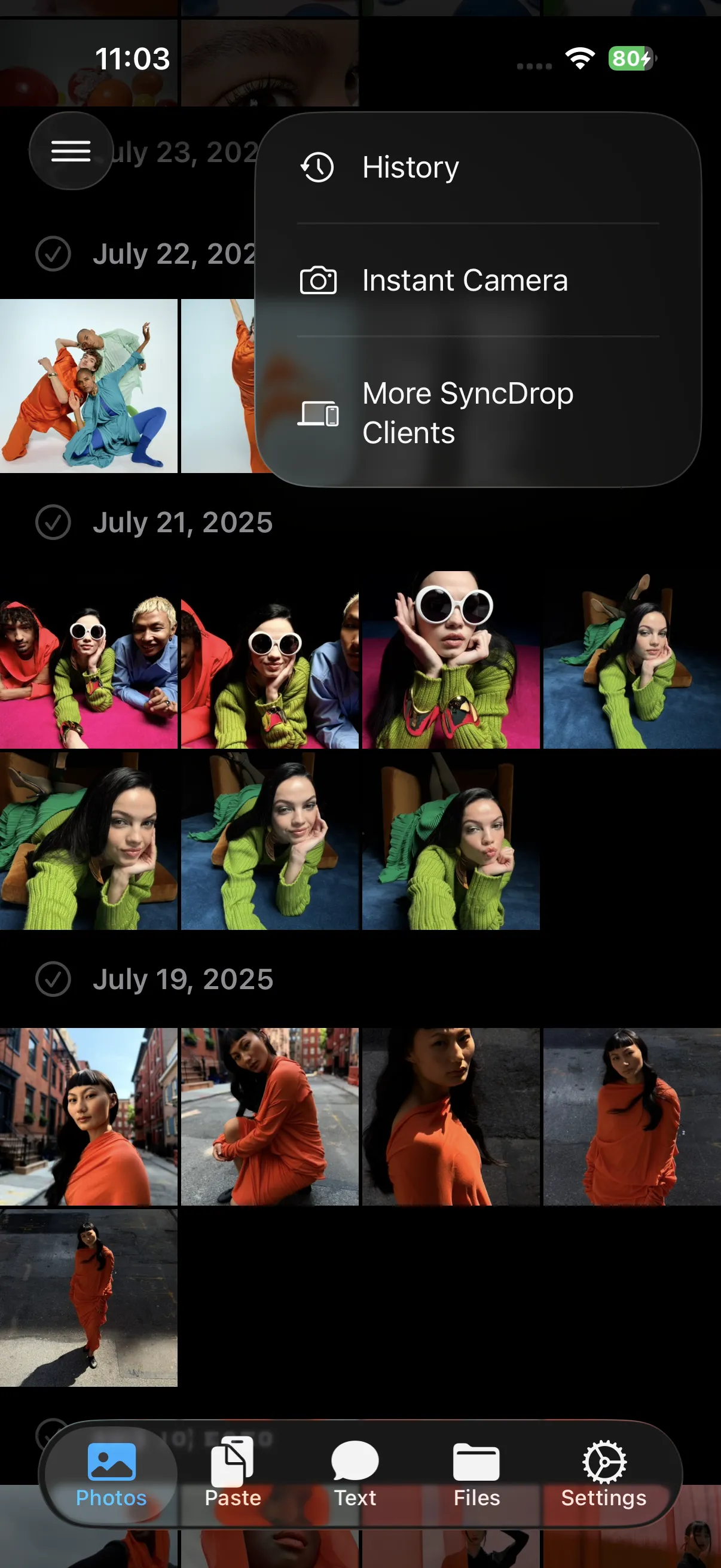
Instant Camera Shutter
Ultra-fluid native viewfinder, compose and shoot in a single tap.
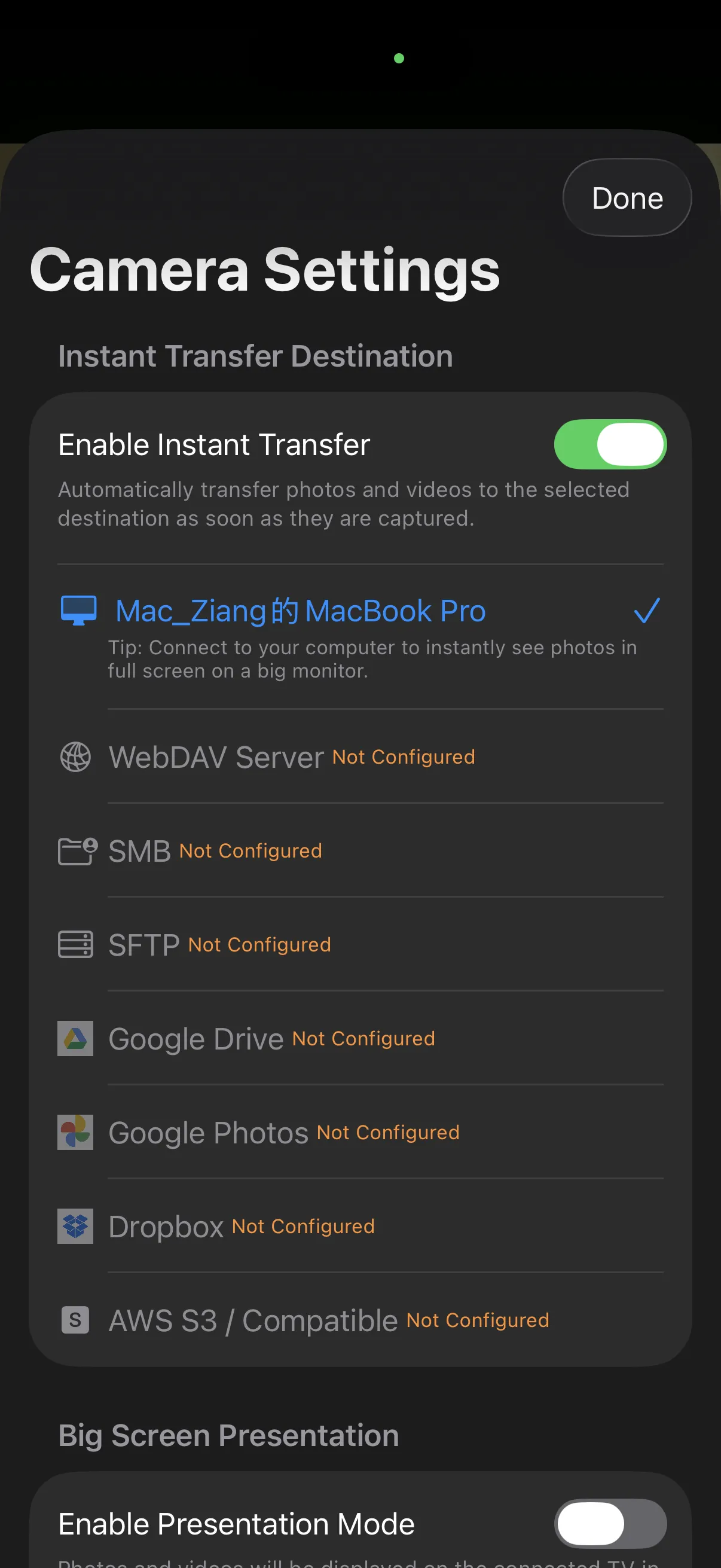
Target & Screen Setup
Transfer to Mac/PC, NAS, cloud storage, and external big-screen displays.
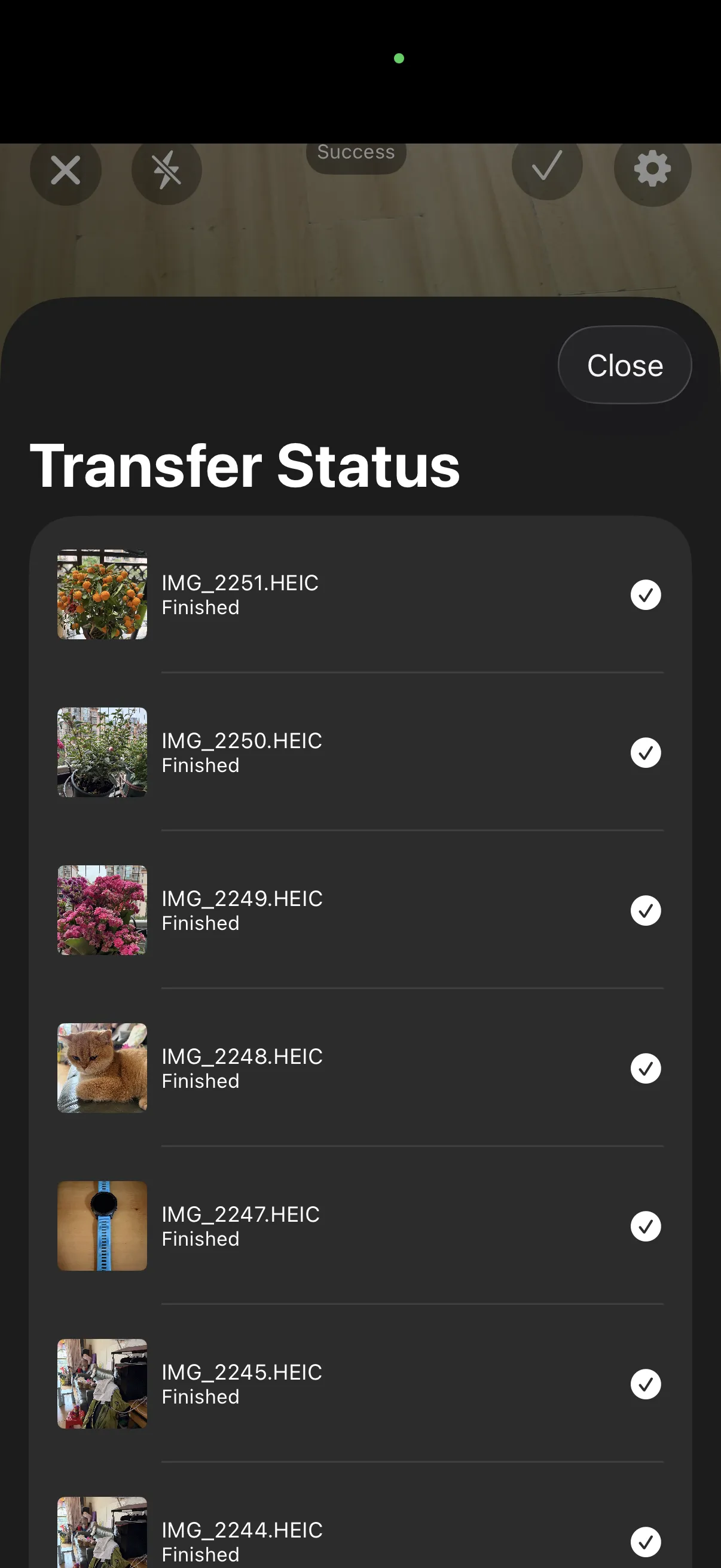
Real-time Transfer Queue
Full-resolution background queue with clear transfer progress.
Studio Mode on PC & Mac: Live Big-Screen Proofing
Enable Studio Mode on your desktop. Whenever you press the shutter on your phone, a high-resolution preview window springs up automatically on your monitor. Built for photographers, retouchers, and live client proofing.
Shutter-Triggered Instant Popup
No need to open Finder or hit refresh. New photos take over the screen automatically in stunning full-screen detail.
Floating Keep-on-Top & Filmstrip
Keep the preview floating on top, browse recent shots via the bottom filmstrip, and flip between continuous burst shots with keyboard arrow keys.
Retina & 4K Color Accuracy
Leverage wide color gamuts and ultra-crisp Retina/4K desktop displays to review lighting, focus, and colors with clients in real time.
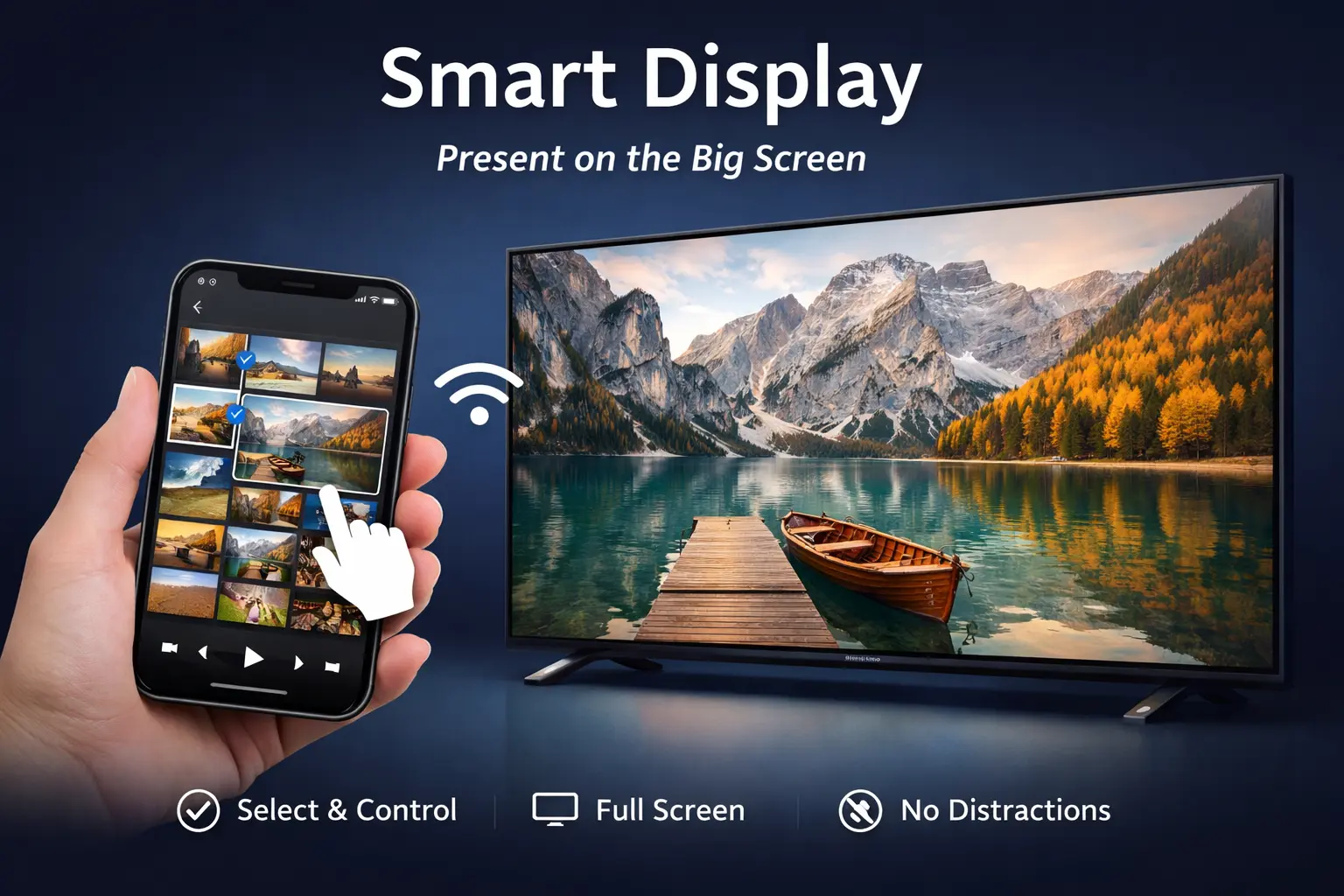
Smart Display: Cast What You Want, Keep the Rest Private
Connect to an external monitor, conference room projector, or big screen TV via HDMI, USB-C, or AirPlay with complete peace of mind.
No Notification Leaks
Unlike standard screen mirroring, personal chat messages, SMS codes, and phone calls remain strictly on your phone. Nothing private ever appears on the big screen.
Phone as Smart Remote Control
The audience sees pure, uninterrupted photos and slideshows while your phone serves as a discreet, full-featured remote control.
Native Dual-Screen Rendering
Deeply integrated with secondary display window scenes (UIWindowScene) for crisp, unscaled, pixel-perfect 4K output.
Engineered for Creative Workflows
From professional studio shoots to living room showcases
Commercial & Portrait Photography
Photographers focus on framing and lighting while clients and art directors review live full-screen proofs on a Mac or PC monitor.
E-Commerce & Product Photography
Shoot and inspect materials, reflections, and textures immediately on desktop, streamlining the transition to post-processing.
Conferences & Creative Pitches
Project visuals and assets to conference displays while keeping private notes and incoming notifications confidential on mobile.
Family Gatherings & Big-Screen Slideshows
Share travel photos directly to the living room TV in real-time, enjoying crisp slideshows together with zero setup hassle.
Get Started in 3 Simple Steps
Zero complicated configuration. Ready to shoot in seconds.
1. Enable Studio Mode on Desktop or Display
Toggle 'Enable Studio Mode' in SyncDrop settings on Mac/PC, or connect your phone to an external screen via HDMI/AirPlay.
2. Open Instant Camera & Select Destination
Tap 'Instant Camera' in SyncDrop mobile, and choose your computer, NAS, or preferred cloud storage target.
3. Snap and Watch It Appear Live
Hit the shutter. Your image pops up on the big screen instantly while being safely archived in the background.
Upgrade Your Photography & Presentation Workflow
Available for iOS, Android, macOS, and Windows. Free to get started.